
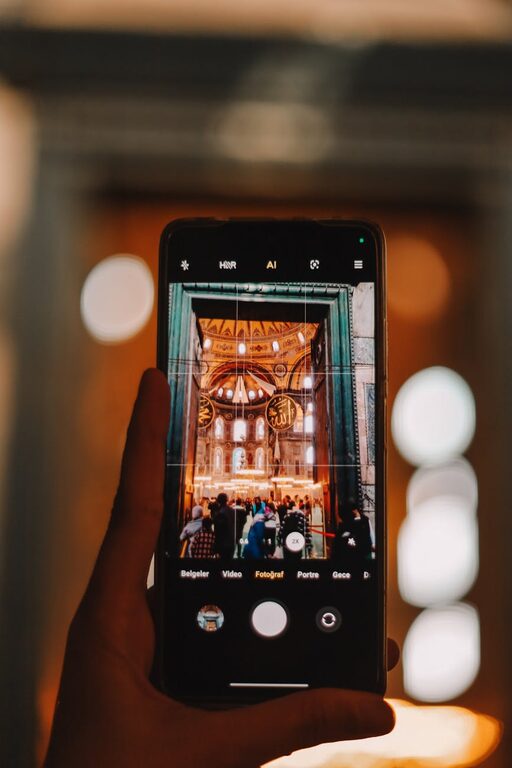
Taking great photos with your phone is easier than you might think. With advances in camera technology, smartphones can capture beautiful images — if you know a few tricks. Whether you’re new to photography or just looking to sharpen your skills, this guide offers beginner-friendly tips to help you take better phone photos every time.
Understand Your Phone Camera
Before diving into shooting techniques, spend some time exploring your phone’s camera features. Most modern phones include various modes such as portrait, panorama, and night mode. Learning what your camera can do helps you make the most of every shot.
– Experiment with settings: Adjust exposure, focus, and zoom.
– Try different camera modes: Portrait mode is great for portraits with blurred backgrounds; panorama captures wide scenes.
– Explore HDR (High Dynamic Range): This mode helps balance bright and dark areas in your photo.
Focus on Lighting
Lighting makes a huge difference in photo quality. Good lighting can turn an average photo into something spectacular.
– Use natural light whenever possible: Soft sunlight, especially during golden hour (just after sunrise or before sunset), produces warm, flattering light.
– Avoid harsh midday sunlight: It can create unflattering shadows and highlights.
– Experiment with backlighting and sidelighting: Backlighting creates silhouettes, while sidelighting adds depth and texture.
– If shooting indoors, use additional light sources: Lamps or window light can help brighten your subject.
Composition Basics
How you frame your shot influences the story your photo tells. Applying simple composition techniques can help create balanced, eye-catching images.
Rule of Thirds
Imagine your screen divided into a 3×3 grid. Position important elements along these lines or their intersections for a pleasing balance. Most phone cameras offer an option to display this grid.
Leading Lines
Use natural lines like roads, fences, or pathways to guide the viewer’s eye toward the main subject.
Framing
Frame your subject using elements like branches, windows, or doorways to add depth and context.
Simplicity
Keep your composition clean by removing distractions in the background. A simple background helps the subject stand out.
Steady Your Phone
Blurry photos can ruin an otherwise good shot. Keeping your phone still is crucial.
– Hold your phone with both hands.
– Use your body as support: Lean against a wall or steady your elbows on a surface.
– Try a tripod or phone stand: These accessories are affordable and perfect for low-light or long-exposure shots.
– Use the timer or voice control: This limits shake from tapping the shutter button.
Get Closer
Phones can only zoom in so much before photos lose quality. Instead of relying on zoom, physically move closer to your subject.
– Getting closer helps capture more detail.
– It encourages you to focus on your subject’s interesting features.
– It reduces background clutter and distractions.
Edit Your Photos
Editing can enhance your images and bring your vision to life, but less is often more.
– Use editing apps like Snapseed, Lightroom Mobile, or VSCO.
– Adjust brightness, contrast, and saturation to make your photo pop.
– Crop to improve composition or eliminate distractions.
– Avoid heavy filters that may make your photo look unnatural.
Practice Regularly
Photography is a skill that improves with consistent practice.
– Take photos daily, experimenting with different subjects and lighting.
– Review your photos and note what worked and what didn’t.
– Challenge yourself to try new techniques or camera modes.
– Join photography communities online for feedback and inspiration.
Final Thoughts
Capturing memorable phone photos comes down to understanding your camera, paying attention to lighting and composition, and practicing often. With these beginner tips, you’ll start capturing clearer, more compelling images that tell your unique story. So next time you pick up your phone, try out these ideas — your best photo might be just a click away!